> For the complete documentation index, see [llms.txt](https://docs.squads.so/squads-v3-docs/llms.txt). Markdown versions of documentation pages are available by appending `.md` to page URLs; this page is available as [Markdown](https://docs.squads.so/squads-v3-docs/navigating-your-squad/creators.md).
# Creators
How to secure your NFT upgrade authority in a Squad.
{% hint style="info" %}
Users can delegate the upgrade authority of their NFT projects to a Squad and securely store it inside the multisig.
{% endhint %}
## **How to delegate NFT upgrade authority to a Squad?**
To delegate your NFT collection upgrade authority into a Squad:
1. Use your CLI wallet which currently holds upgrade authority.
2. Delegate the authority to your Squad address.
3. Once authority is delegated, you will see a collection inside the "Collections" section.
Collections section
{% hint style="warning" %}
Please note that it is currently not possible to make changes to your NFT collection (change metadata, manage token formats, etc.) inside the multisig. You will need to transfer upgrade authority to your CLI wallet and make all the changes from there.
We are working on implementing the whole collection management flow inside the UI. You can reach out to us via [Twitter](https://twitter.com/SquadsProtocol?s=20) or [Discord](https://discord.gg/Qwhew4M4RS) if you need any assistance.
{% endhint %}
## How to transfer upgrade authority from a Squad?
To transfer authority out of your Squad:
1. Add your CLI wallet as an owner to your Squad (check [Owners and Settings](/squads-v3-docs/navigating-your-squad/owners-and-settings.md) for more info on adding owners).
2. Launch a transaction inside your CLI wallet to change the NFT upgrade authority.
{% hint style="warning" %}
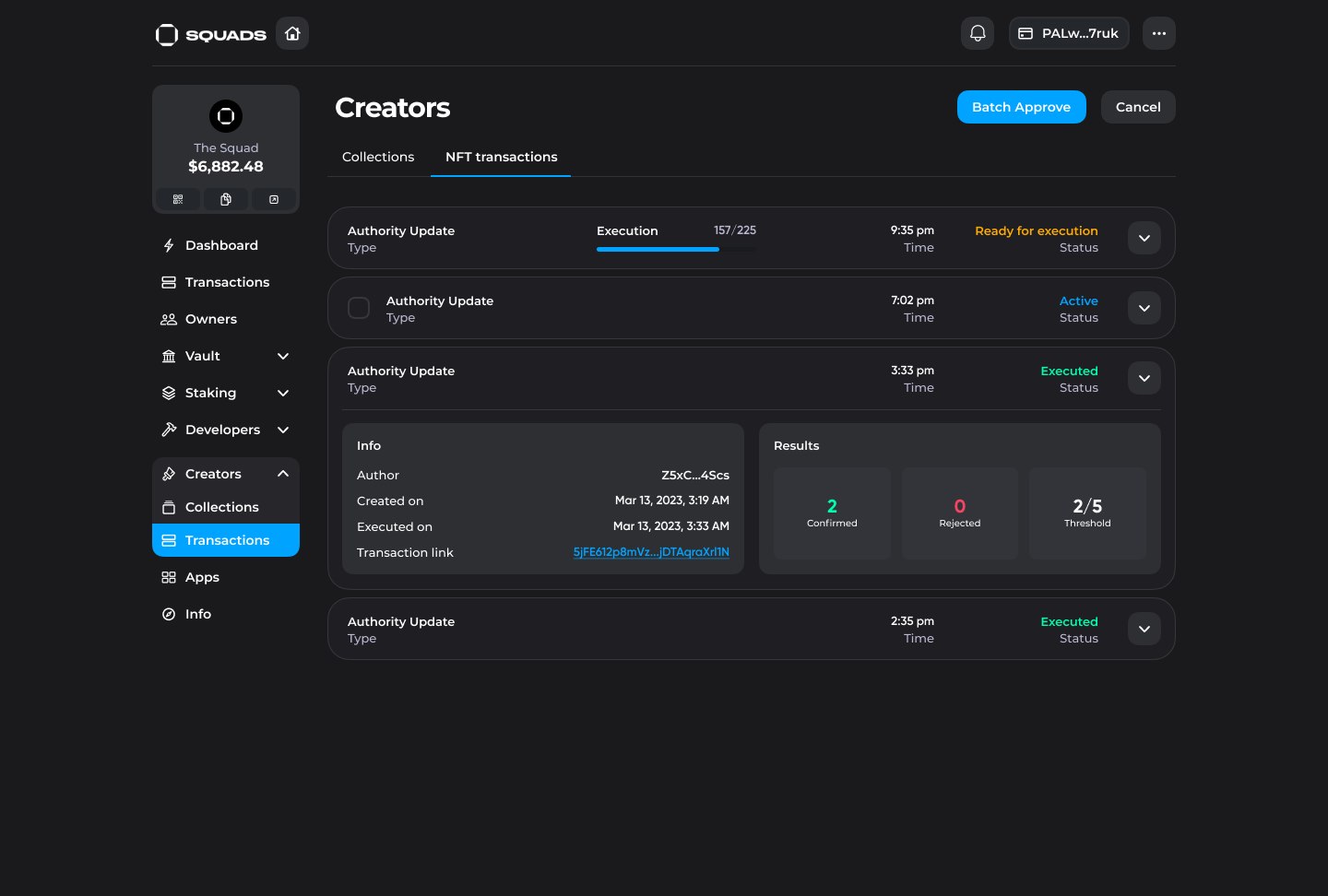
Please note that due to technical limitations the maximum number of NFTs bundled in 1 transaction equals 255. With a large collection (e.g. 10k), approximately 40 transactions will be created inside the UI. Using the "Batch approve" button in the UI, you can sign them all at once.
{% endhint %}
NFT transactions section
3. Once you meet the confirmation threshold you will be able to execute the transactions.
4. Execute transactions using your CLI wallet or a hot wallet through Squads UI.
{% hint style="warning" %}
Please be aware that due to technical limitations you won't be able to execute those transactions with your Ledger wallet. We recommend to use CLI wallet or hot wallet (e.g. Phantom, Backpack, Glow, etc.).
If you are signing transactions with a hot wallet you may need to rerun the execution a few times because of the deprecation of a block hash.
{% endhint %}